First Thing reads your calendar, checks your commute and plans your sleep, then wakes you at the latest time that still gets you there. And it tells you why.
On iPhone? Get notified when it's ready →Most alarms make you do the thinking. First Thing does the maths every night, so you get every minute of sleep the day allows and still make your first thing.
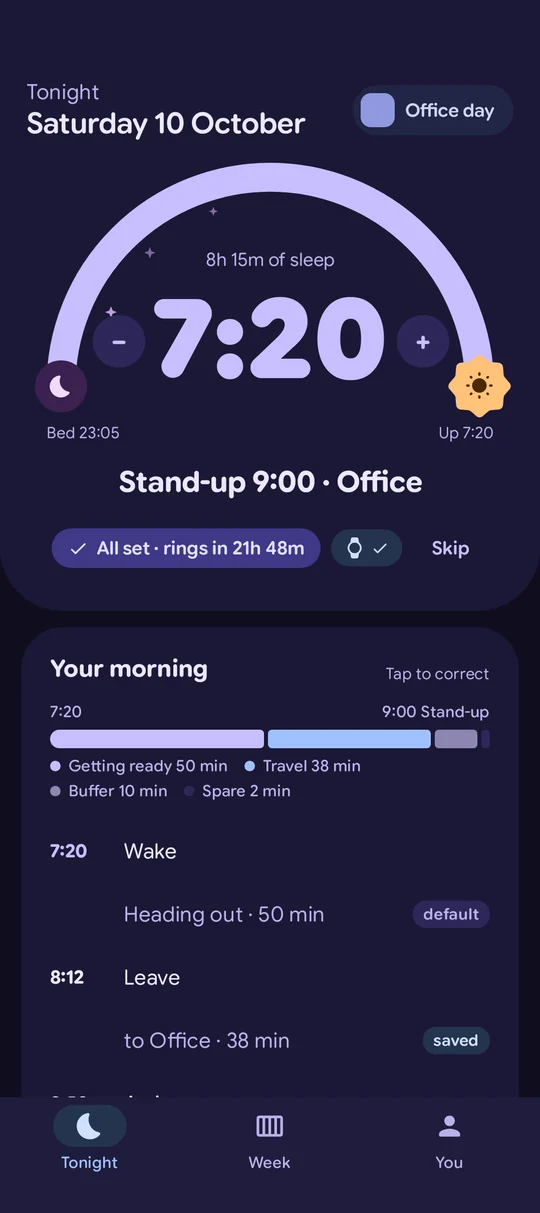
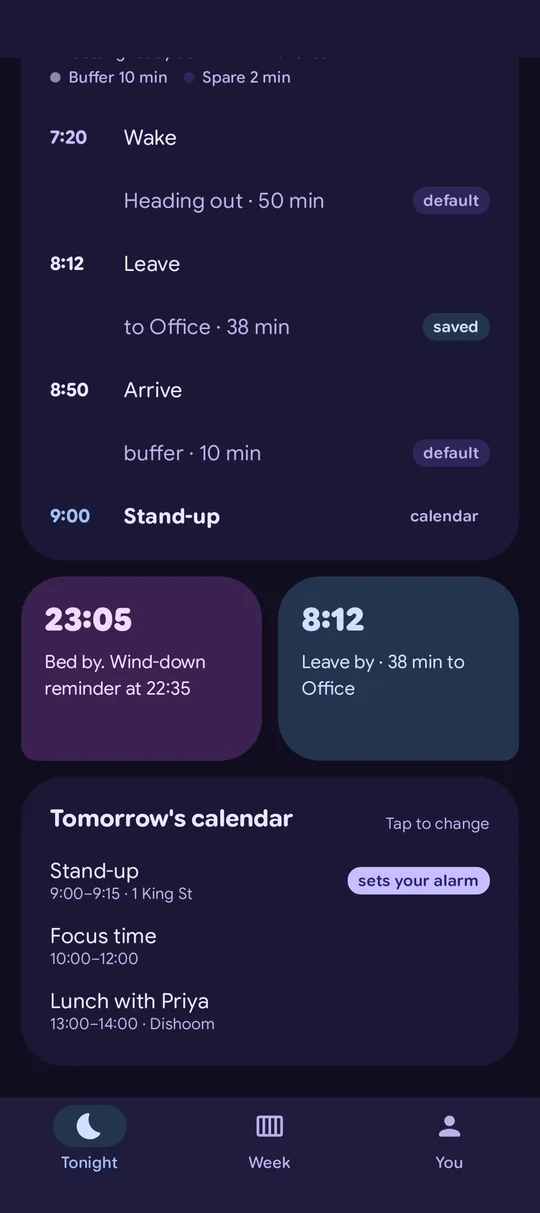
It reads tomorrow's calendar, adds getting-ready and travel time, and sets one alarm. When your morning changes, the alarm moves with it. No calendar? Tell it your usual week instead.
It wakes you at the latest safe time, plans your bedtime from it, and learns how much sleep you really need. An early start means an earlier night, not a short one.
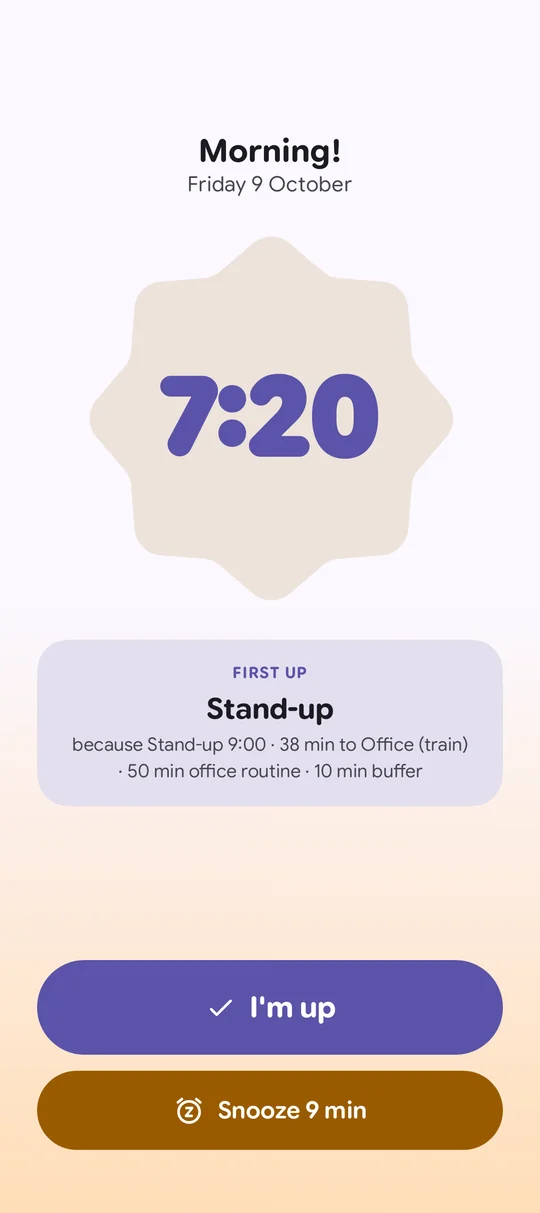
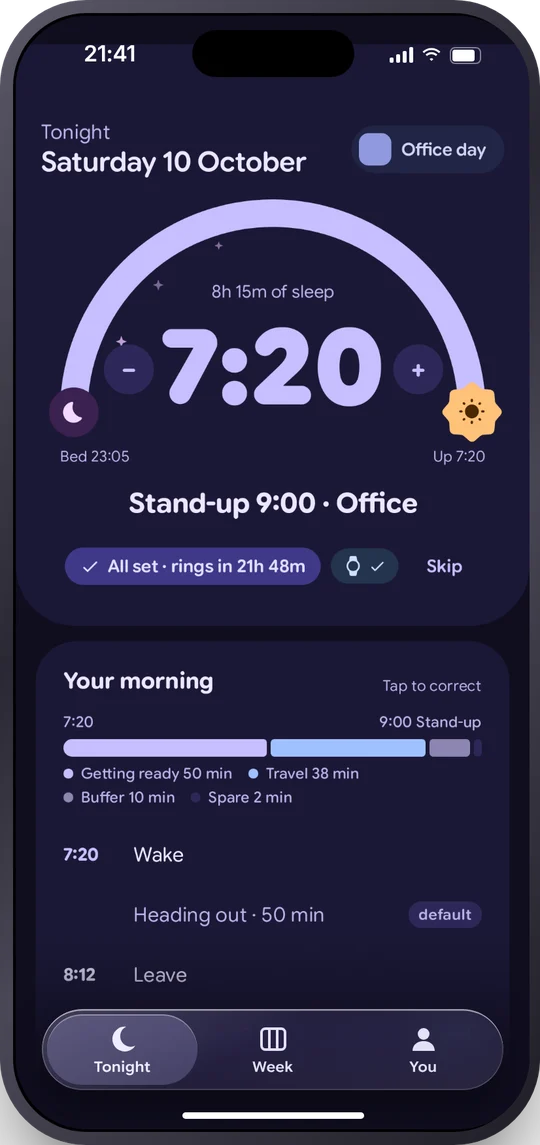
Every alarm comes with one line of reasoning, like "7:20 · Stand-up 9:00 · 38 min on the train". No guessing, and you can correct it in a tap.
Stand-up at 9 in the office? First Thing works backwards: arrive with a buffer, 38 minutes on the train, time to get ready. Your routine, your buffer, your commute.

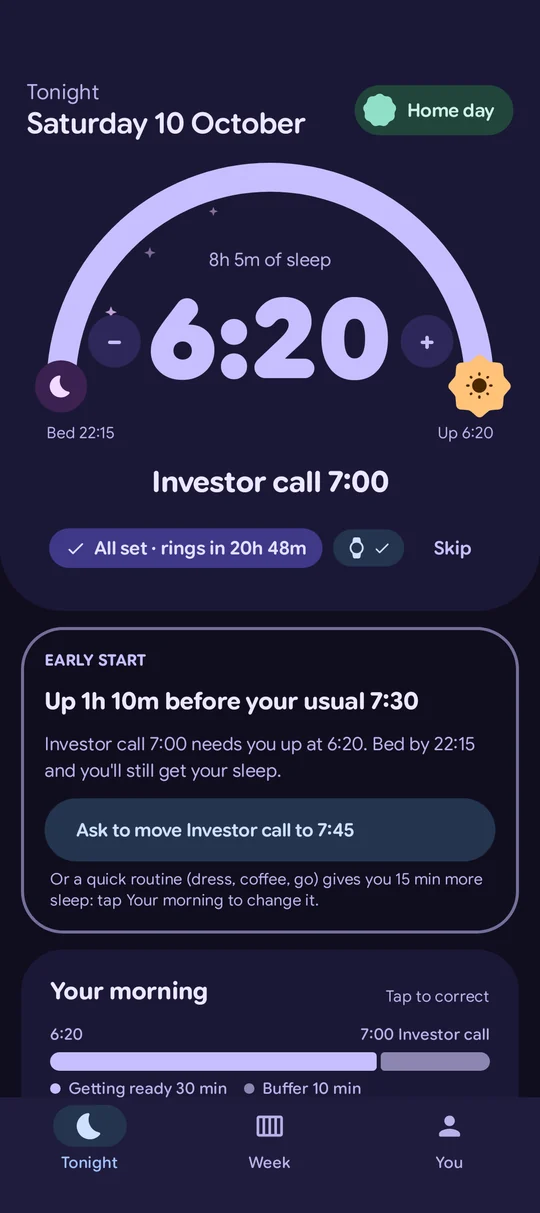
A 7am investor call means a 6:20 alarm, so First Thing brings your bedtime forward to 22:15 and can nudge you to wind down. It'll even suggest moving the meeting if that buys you more sleep.

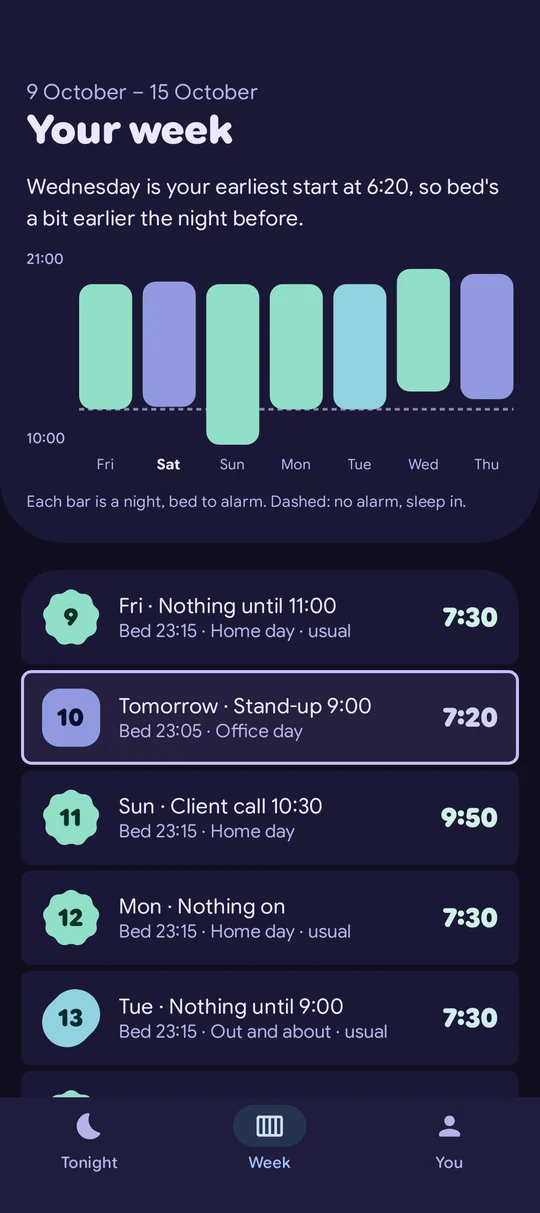
See the whole week at a glance: when you'll wake, when to go to bed, and which mornings you can sleep in. Office day, home day, nothing until 11. It knows the difference.

Swipe for more →
An alarm app shouldn't be one more thing pinging you. First Thing keeps quiet, keeps its promises, and leaves the decisions to you.
Your next alarm sits silently in your notifications, there when you glance and never buzzing. Questions wait in the app until you open it.
Set a time yourself and First Thing never moves it. If your calendar changes, it asks you first.
It won't set an alarm it can't show you, so you're never left with one you can't switch off. The volume buttons snooze.
Open it after your alarm and you see last night: when it rang, when you got up, and your sleep. Tomorrow can wait until the afternoon.
Google asks new apps to run a 14-day closed test before launch. Use it as your real alarm, tell me what breaks, and help it launch.
One tap with your Google account. This is what lets Play show you the app.
Join the groupSet it up in a minute and let it plan tomorrow. Got a Wear OS watch? Install it there too. Keep it for 14 days.
Get it on PlayTip: use the same Google account in Play Store as the one you join the group with.
Stay for the full 14 days and First Thing Pro is yours for life. Plus three 3-month Pro passes to give to friends at launch.
First Thing is coming to iPhone next. Leave your email and you'll hear when the beta opens on TestFlight, and again at launch. The more of you who sign up, the sooner it comes.
The alarm, the planning and the bedtime are free. Pro adds the bits that look ahead and look after you.
Checks traffic and trains the night before and again before your alarm. It only wakes you earlier if you'd otherwise be late.
Ask "Why am I tired?" and get an answer from your own sleep. On-device with Gemini Nano where your phone supports it.
Last night at a glance, how steady your sleep is, and how much you really need, from Health Connect.
Your watch buzzes up to 20 minutes early if you're already stirring, instead of dragging you out of deep sleep.
Wear OSSwipe for more →
Try Pro free for 14 days, then pay monthly or yearly, or unlock it once for life. Testers who stay for the full closed test get it for life, free.
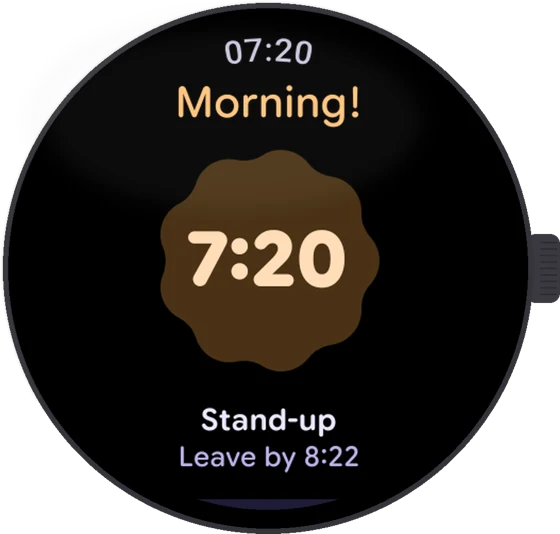
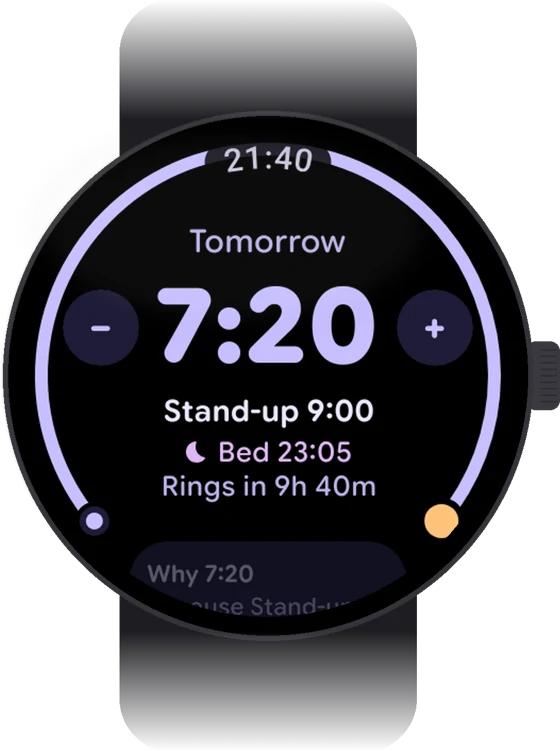
Your alarm rings on your watch first, with tomorrow's plan on a tile and a complication on your watch face. Snooze or say "I'm up" without reaching for your phone, and if your watch has gone flat overnight your phone rings right on time instead. Switch tomorrow's alarm off, set one, or add five minutes to your leave-by countdown, all from your wrist. Smart wake (Pro) can buzz you up to 20 minutes early if you're already stirring, and it never runs while your watch is on its charger.
Built from the ground up in Material 3 Expressive, so it looks and behaves like a native Pixel utility.
Nothing to scroll past at 7am.
Open it and go. Sign in only if you want backup.
Planning happens on your phone. Read the privacy policy.
Exact alarms, full-screen over your lock screen, checks for battery savers that kill alarms, and a vibrate-only option that adds sound if you don't stir.
Yes. The alarm, calendar planning, bedtime and week view are free, with no ads. Pro adds live travel, the sleep coach, sleep insights and smart wake, with a 14-day free trial.
Android 8 and up. It's designed for Pixel but tested on others. Samsung, OnePlus and Xiaomi testers are especially welcome, because their battery savers are the hardest on alarms.
No. Skip it when you set up and tell First Thing your usual week instead: a wake-up time for each day, and which mornings you sleep in. It still plans your bedtime, rings on your watch, shows your sleep and learns how much you need. Add a calendar later if you want it to plan around meetings.
Any calendar on your phone, including Google and Outlook accounts synced to Android.
Your calendar is read on your phone to plan your alarm and isn't uploaded. Sleep data from Health Connect stays on your phone unless you switch on the cloud coach. The privacy policy has the details.
No. First Thing works fully on your phone. If you have a Wear OS watch, install it from the Play Store on the watch and your alarm rings on your wrist, with a tile and complication.
Almost always one of these, in this order:
Still stuck? Email support@owt.cards with a screenshot of what you see.
After the closed test: at least 14 days with 12 or more testers, then Google's production review. Testers will hear first.